Showing posts with label Technology. Show all posts

Monday, November 24, 2014

Plickers...Things That Make You Go HMMMMM............

                       
      TPT Life on the Fly Store Black Friday Sale---Get Ready!!


Apparently I have been living under a rock because I had never heard of Plickers until last week when one of my lovely colleagues forwarded me an article about it. So, I feel like it is my duty to write about them just in case there are other poor school counselors like me who need to see the light.  Plickers are one of those technology tools that make me go HMMM.....First, because I don't really understand how they work;  Second, because I think the person who invented them is BRILLIANT;  Third, because I bet the people who sell the ultra-expensive clicker systems are probably pretty annoyed right now; Fourth, because they are going to totally revolutionize my classroom guidance lessons.

You see, I have talked in numerous blog posts about my data collection methods for pre and post tests in classroom guidance lessons. You may remember seeing something that looked like this when I talked about character trait lessons (right). 
I dutifully collect my pre and post numbers in EVERY class whatever the multiple question may be.  Typically, I ask students to put their heads down and raise their hand for the one answer choice they think is correct.  It has always worked fairly well although I frequently have to remind students about voting ONLY ONE TIME, keeping their eyes closed so they don't peek at others' votes, and raising their hands high so I can get an accurate count.  And then came Plickers......

If you go to their website there isn't a TON of information so I want to let you know how I set up this incredible tool for my lessons.  Disclaimer: You WILL NEED a smart device to use Plickers (iPhone, iPad, iPod, etc.)

1. Create a FREE account on Plickers.com.
2. Go to the "Library" tab and type in the question you want to ask your students. You can have up to four multiple choice answers or make it a True/False question.
3. Underneath your question click "Add to Plan" and choose if you want to use the Demo class or add a new class.  (I kept it under Demo class the first time, but I plan on creating a class for each grade level I work with and adding specific questions to that grade level to keep it more organized.)
4. Click on the "Cards" tab and print out your Plicker cards. I chose to print the 40 card large font version since I will be using these with Kindergarten students as well as older students. I will use the SAME cards for each lesson.
5. Download the FREE Plicker App on your smart device.
6. In the app, click on the class where you saved the information so that you can see your question.  Then, press the CAMERA icon. 

At this point, you need to be in a classroom asking your question. Students will look at their unique Plicker code and decide if they think the correct answer is A, B, C, or D (I only had A-C answer choices for my second grade lesson so they ignored the D option).  Whatever answer they want to choose should be AT THE TOP of their Plicker code when they hold it up for you to scan (In the Plicker code at the top of this post, they would be choosing answer D).

Before you start scanning the students' answers, you can pull up the Plicker website on a Smartboard or LCD projector and click on "Live View." This view allows the students to see their answers being taken by your smart device as you walk around the room and scan the Plickers (right- Student View). If you only taught one class/one grade level you could also assign names to each Plicker card to assess who needed reteaching or remediation if that student picked the incorrect answer.  For my purposes, that would be way too time intensive so I just note who still doesn't have the right answer in my post test and check in with them later. Typically it is 2 kids MAX. 

The best part is revealing how the students did after you have scanned all the cards.  Click on the Graph View to see a chart like the one below.  If it's the pretest, you can discuss the results with students and have them predict how many students will have the correct answer AFTER the lesson.  Remember to make sure you are really emphasizing the correct answer and giving clear instruction so they have a chance to meet that goal!

So, there is my brief overview of Plickers.  Leave a comment if you think you can use this tool at your school! I would love to hear what you think.  Also, on a side note, I hope everyone has a wonderful Thanksgiving. I am truly thankful to have this blog to connect with all of you each day. 

Happy Turkey Day and Happy Counseling!  
~ Angela

Sunday, July 6, 2014

#ASCA14 Top 10


Wow. It is hard to sum up the wonderful experience that ASCA 2014 in Orlando was for me! It was my first annual conference experience, and I left with my wheels turning about how I could get to Phoenix next year.  So, I will do my best to give you my "ASCA Top 10" from my experiences on Sunday, Monday, and Tuesday (I had to hit the road on Wednesday and wasn't able to do the final half day).  I am going to attempt to include as many practical, hands-on ideas, websites, and resources that I intend to incorporate next year but will inevitably sprinkle them through my blog posts over the next several months as I use them at school.

#ASCA14 Top 10

10.  Being with 2,000+ educators who either work as school counselors, educate school counselors, advocate for school counselors, or want to be school counselors was an inspiring and powerful experience. I got to meet new friends and introduce myself to people like Dr. Wong, ASCA Executive Director (bottom photo).
                                                                *Image from Phil Echols


                                  (L to R) Lauren, Dr. Wong, me, and Mona 

9.  Participating in the state roll call.  North Carolina represents at the ASCA conference every year, and it was so fun to be a part of the hoopla this year. I even got to hold one of the @NCSCA letters!  It's a little blurry, but that's me with the "S."

8. Catching "Tweet" fever.  Twitter was abuzz during the conference with the #asca14 hashtag.  Even if you were #notatasca14, you could get the latest news, photos, and online resources by following #asca14. It is crazy to think that two or three years ago this was NOT HAPPENING at the same level! I LOVED sitting in breakout sessions and tweeting out cool facts from my speakers while also reading about others getting pumped up in their sessions.  The energy and excitement was amazing!  I used Tagboard to follow the entire hashtag in an easy to view way, which can be used for any hashtag (#WorldCup2014 anyone?).

7. Great exhibitors with counselor SWAG.  The number and variety of exhibitors at this conference was overwhelming. As an educator operating on an increasingly tighter budget each year, I absolutely loved meeting the different vendors and getting freebies. Everything from career posters to pens to stress balls to magnets were available. I'm especially excited about a couple of companies that offer professional development and can't wait to see what we might be able to plan for my Professional Learning Community.


6. Girls' Leadership Breakout Session.  I attended Julia Taylor's (@juliavtaylor) Help Girls Unlock Their Leadership Potential session and came away with a ton of great resources.  She has already posted her session Prezi on her website for all to view here so check it out! There were so many powerful videos shared, as well as book titles and activity ideas to use with girls.  In fact, I have already watched the documentary Girl Rising (right) based on her recommendation, which can be rented on Amazon.com.  However, my favorite video to use with my students is this one:


5. Stedman Graham Keynote Address. @OfficialStedman was an amazing speaker, and I especially loved what he had to say about perseverance, relationships, and making choices to be successful. My favorite point (paraphrased) is that we all have the same 24 hours in a day. What are you going to do differently to make things happen? How are you going to create magic? Also, his challenge to use 60 minutes each day reading and learning resonated strongly with me.

So, I am going to start sharing the books I am reading that are making me THINK and LEARN....Thanks Stedman! Currently, it is the book Drive by Daniel Pink, which can be found here or at your local library.  It talks about motivational theory and how the "carrot and stick" approach  may not be the best to use, for companies or our students.


4. Solution-Focused Breakout Session.  This session by Dr. Carol Buchholz Holland from North Dakota State University featured 43 strengths-based activities and techniques to  use with students in individual counseling. I use this counseling theory for the majority of my students due to its brevity and solution-oriented stance and found this session extremely helpful.  It's difficult to sum up 3 hours in a Top 10 post, but I loved Dr. Holland's incorporation of art into her stratgies:  Drawing a picture of something you would like to change when focusing in on the student's goal, "Color Your Life" activity to indicate different emotions the child has, cartooning with superheroes to identify possible solutions, Power Hands activity that identifies the strengths that will help the child reach his goal (one strength written in each finger of the hand outline). She also shared some fantastic videos that could be used with staff or students in a variety of applications. This one was my favorite.


3. My First "Tweet Up". Danielle Schultz, @sch_counselsor, organized this get together for school counselors new to the twittersphere as well as those who wrote their first tweets years ago. I loved meeting new friends and introducing myself to counselors I have admired and respected online for years.  Check out Jan (@humbleofferings) and Kelly (@KellyHanscom) below with a future Miss USA and Jasmine (SeeJascounsel) and Rebecca (@schcslgbyheart from School Counseling by Heart) to the right.  Also, Susan (@SSpellman) gets creativity points for capturing us all with inspiring messages for the world (far right).


2.  My Wifi to Sci-Fi: Motivating and Teaching Students Through Literature and
Technology Presentation.  I must say, I challenged myself to present at the ASCA conference and 45 minutes before I began, I was kind of wishing I hadn't sent in that proposal...Ha! Seriously though, it was one of the highlights of my career thus far to be able to get up in front of my peers at this national conference and share my ideas. Afterwards, I was so happy I had done it and ecstatic about the positive feedback I received (see bottom right picture).  The handout shared through the ASCA conference app can be accessed here. As always, email me if you have specific questions.


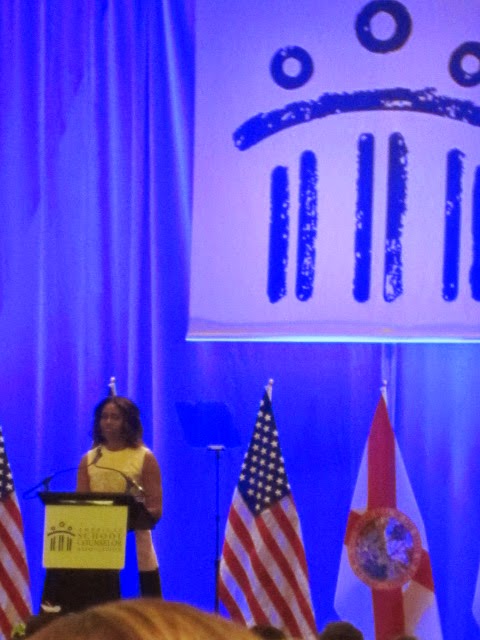
1. Michelle Obama's Keynote Address:  I tweeted this about @FLOTUS (First Lady of the United States) during her speech, and I feel even more strongly about it now. Her speech along with this letter to school officials released by Arne Duncan the day before her appearance showed the first lady "gets" how important school counselors are to the students and families we reach each day.

I hope these Top 10 Moments help give you a glimpse of  #ASCA14.  If you didn't make it this year, check out the future dates and locations for this unforgettable event below and put it on your BUCKET LIST.  
Enjoy and Happy Counseling! ~ Angela


Sunday, April 27, 2014

Full STEM Ahead......

My love affair with Donor's Choose is still going strong!  They never let me down when I write a grant, and it has gotten even easier to request needed materials now that they have partnered with Amazon as a vendor.  I also LOVE the fact that all donations are matched by Donor's Choose within the first 7 days the project is posted.  I usually put my request up on Facebook, Twitter, and email close family members and have my grant funded within a few days between people I know and those I don't.  In the days of limited budgets and stagnant salaries, Donor's Choose is truly a life saver!!!

My current project is focused on STEM activities for my Kindergarten and first grade students. STEM -- Science, Technology, Engineering, and Mathematics --seems to be a major push in lots of school rights now, and I wanted my kids to have a chance to explore these academic disciplines in a fun way. So, how did I do it?!!! I came up with the idea that I wanted to request a variety of building materials -- Magnatiles, plank blocks, Legos, stacking cups, and gear blocks-- and use them in engineering centers. Each center has a specific task card to guide students in what they should be building with the assigned material.  However, there is a lot of room for students to use their own critical thinking skills, creativity, and problem-solving abilities within each task.  Some of the websites I explored to add to my own ideas were these great Livebinders here and here.

I introduced the idea of becoming an "engineer for the day" with these YouTube videos to help explain what an engineer does. Kindergarten saw this one:
First grade will see this one:


I also wanted to incorporate teamwork skills, which can be a struggle for this age group, so I created a teamwork checklist that we follow during the center activities. Students rate themselves at the end of the lesson and give themselves 0, 1, 2, or 3 teamwork points as a way to reflect on what they did well on and what they need to improve. The Kindergarten students helped me brainstorm the three skills:  Passing materials, whispering and making a plan, and talking nicely and using manners.

Each child also has a center activity sheet to help with accountability for completing the center. Again, I explain the sheet at each center and assist as needed, especially with some of my English Language Learner students.


These engineering centers are particularly exciting for my Kindergarten kids who I teach "specials" (enhancements, rotations) to each day because they can complete the entire rotation of centers over the next five to six weeks.  At this point in the year, I wanted to mix things up and have more of a challenge since the majority of my students are reading and can handle being a little more independent. I am creating groups to ensure that at least one really strong reader is in each group and am assisting when needed.  My first graders will only receive one lesson so they will probably only get to explore one of the following five centers:

1.  Magnatiles:  Students work on building a house together.  They start with a cube and use their imaginations to add the magnetic tile shapes to create the rest of the structure. On the activity sheet, students identify the shapes and colors they used and sound out the names of the shapes to write them down. In my  opinion, Magnatiles are one of the coolest building materials around. If you haven't tried them before, you've got to check them out!!!

**Permission was given to post these pics of students on my blog since I am required to share pictures with Donor's Choose.

2. Lego Center:  Students attempt to build a "pet carrier" for Bruno who is 5 blocks wide by 1 block high.  They have to think about how he will get in and out and how he will breath. Initially, I was having students use the plank blocks for this center, but I could tell they weren't as familiar with these types of blocks and it was harder for them to build a tall structure so I switched the Lego and plank task cards....always tweaking and adjusting!

3.  Gear Center:  Teams works to create a new invention that will create wind in this center.  They have to see how many gears they can get to turn and count the final number for their activity sheet.

4.  Plank Center:  This center is focused on having students build a bridge that a toy car can cross.  Students practice using measurement and compare hand lengths to the bridge to determine how long it is for their center sheet.


5. Stacking Cups Center: Students attempt to create a tower using Solo cups.  The task card stipulates that the tower must have at least four levels and use at least 20 cups, and students draw the tower on their activity sheet.  Check out how great my kids did in the picture to the right!

Here are some more close-ups of the students' work on their center activity sheets (left and below).  So far, we are having a blast and I am really enjoying seeing the students use their creativity to work together, use their brains, and have fun! My first grade kiddos start their lessons this week, and I think they will do an even better job due to having another year of maturity and problem-solving skills. I truly could use these centers all the way through third or fourth grade and may do that next year!!!  Send me a comment if you have done any STEM activities or have any other questions!                                      Happy Counseling! ~Angela

Monday, March 24, 2014

Let's Get Virtual!

Last week I was able to share my "Beyond Career Day" presentation as part of the NC School Counselor's Association Webinar series. Although I found it a little odd to present with no face to face contact or audience feedback (I'm not used to that as a counselor!), it was a great experience and I thoroughly enjoyed it!  I had initially posted about this presentation after the NCSCA fall conference, but I added some middle and high school content for the webinar and wanted to share the newest version.  You may not be focused on career interventions right now with the EOGs and middle school transition fast approaching, but it will be a good resource to file away for summer and beginning of the year planning next school year.


One of my FAVORITE updated resources that I included is this website where you can go on virtual college tours at select campuses across the United States.  There are colleges located in each geographic region of the US, and enthusiastic college students take you on walking tours to see classrooms, residence halls, the library, athletic fields, and other important landmarks on each campus. I am planning on allowing my fifth graders to sign up for the college tour of their choice and let them go on a "virtual field trip" during lunchtime between now and the end of the year.  It will be a nice addition to my Career Cafe lunchtime speakers and could be an engaging activity for students at every school level.  Get virtual and let me know how those tours go!
Happy Counseling! ~ Angela

Monday, March 10, 2014

Drop it Like it's Hot...... on Dropbox

I really should be on a commercial for Dropbox. I have my family using it, I have my co-workers using it, I even have my PLC collaborating with this tool.  So, when I saw that SCOPE -- the School Counselors' Online Professional Exchange--- needed a professional school counselor to write an article about how they use Dropbox, I naturally jumped at the chance.  If you don't know about SCOPE, created by Dr. Erin Mason, check it out here.  This free resource that features free technology tools is a great place to get ideas (and FREE is our favorite price!).  They also have a fantastic list of school counselor blogs and best practices for school counselor technology use.

 You can check out my Dropbox article by clicking on the image below.
                                   Enjoy and Happy Counseling! ~Angela

Monday, February 17, 2014

Fairness: Go for the Gold!

Follow my blog with Bloglovin


I had snow days last week and two optional teacher workdays, so I was able to do another fun bulletin board that normally wouldn't be a priority with students in session.  I wanted to share it, especially for those who may be including the Olympics in upcoming lessons or those who emailed me about my Olympics PDF from my last post. 


I think the staff really gets a kick out of being incorporated into my bulletin boards, and the kids think they are hilarious.  This time I was able to include my principal, an assistant principal, a receptionist, several classroom and specialist teachers, and some teacher assistants.   In case you are wondering how I do the bobble heads, I just take pictures of staff members on my iPad and email them to myself. Then, I open them in one of the picture programs (Photo Gallery usually) on my school computer. I copy and paste it in a Word document, enlarge it, and print it in color.  It's super easy and doesn't require any special equipment (a real win-win!). 

You'll notice I included the Guidance Essential Standards taught during the lesson at the bottom of the bulletin board, and I integrated some technology by adding a QR code.  Anyone who scans it is directed to http://www.sochi2014.com/en/medals for an updated medal count sorted by country.  Pretty fun!  Happy Counseling! ~ Angela


Tuesday, January 14, 2014

QR Crazy!

It is official. I love QR codes and enjoy the creativity of using them to communicate with people in our school building.  In a previous Grants post , I shared that I had received money for mini iPads for my Technology Club. My fourth grade students have been using them a lot to show we are "tech savvy" with teachers, parents, administrators, and classmates.  We have had two parent nights recently and posted "Welcome Parents" QR codes as well as QR codes giving upcoming event information and ways parents could help our school (Box Tops, soup labels, etc.). 

I also have been using QR codes to do trivia challenges related to the character trait of the month.
Teachers can scan the QR codes to hear an audio file from the app Croak.It! I mentioned that app on my Tech-tacular  post awhile back and use it all the time for short messages.

However, the most intensive project I have done with QR codes is my "Scanvenger Hunt" lesson I used when teaching Holland's Theory to fifth graders during my Career Unit.  I spoke about this lesson at the NCSCA Conference in November and several people asked me about it afterwards, even asking if they could buy the PDF from me.

My first lesson of the Career Unit introduced Holland's Hexagon and explained how jobs and personality categories can match to help make individuals happier and more successful at work.  Then, students took an interest inventory to see what their two highest personality categories were. I gave them a few examples of jobs that could fit in each category.  

My second lesson was held in the media center during specials and my media specialist co-taught the lesson with me.  Each class was divided into six groups, one assigned to each personality category.  Each group received the following items:
  • A folder with the QR Scanvenger Hunt for their personality type inside
  • An iPad or iPod
  • A summary sheet to record the information they learned (a great way to document an increase in knowledge from the beginning of the Career Unit)
Students used their Smart device to explore their group's personality category and learn about a possible job or famous person in that specific category.  Each QR code took them directly to a website (like Wikipedia) for research information, a video, Bureau of Labor and Statistics information, an employer website, or audio files with messages about the personality category.

The media center ended up being a great location for the lesson because my school's security settings prevented the iPads from going to YouTube videos directly. Instead, students accessed the videos from desktop computers and then returned to their tables to continue work.  A classroom would also work well if you needed a desktop computer for this issue. However, I never experienced this problem at my previous school so I think it is just the way the WIFI is set up at my current school. I will admit, it was a LOT of work to create the "Scanvenger Hunt" for each of the six personality categories initially, but now I can use it every year.  The kids loved it, and it was so exciting to do something differrent and use "Smart" technology...the way  of the future! Many of you have 1:1 initiatives starting in your school districts so you could do something similar with your students.  If you are interested in getting the PDF file with all six personality "Scanvenger Hunts", summary sheets (pic above), and a User Guide, you can purchase it here. 
Feel free to email me if you have questions- apoovey@hotmail.com
Happy Counseling! ~  Angela

Related Posts Plugin for WordPress, Blogger...