Making my top 5 summer list has kept me HONEST this summer, and I like that! I am almost done with my office decorating projects, and I already submitted a county grant with my principal's approval. It is focused on getting some technology equipment I would like to use for character education and leadership projects with students (but more on that in another post!). I'm going to submit a similar grant to another education foundation in hopes that I can get ONE of them, and I also have a Donor's Choose project request that I am going to submit. So, I have been tackling my to-do list in between pool visits, beach trips, and general hanging with my kiddos.
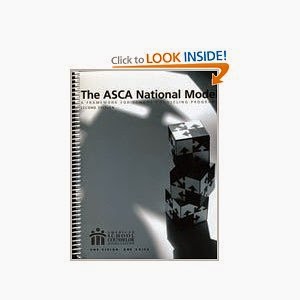
However, item #4- Guidance Essential Standards- was kind of hanging over my head until last week. I was really excited about hosting a summer PLC with some elementary counselors in my county, and I wanted to finally put the ideas I have been thinking about onto paper in preparation for our meeting. So, I got out my trusty ASCA National Model handbook and got to work. Here's what I did:
1.
Matched the ASCA National Model competencies I use for K-5 to the Guidance Essential Standards (GES). There were lots that DID NOT match so I put them to the side.
2.
Created a crosswalk for the GES to show which standards I would use in each K-5 grade level. I know the GES are part of a developmental model so I used knowledge of my students to choose the average developmental level in each grade and can differentiate up or down depending on the lesson topic. This process is somewhat subjective depending on your students so there could be tweaking based on your student population.
3.
Created a list for each grade level of the GES I assigned and added supplemental ASCA competencies that weren't aligned to the GES but were important to me to include for that grade level.
I ended up with a document that has a lot going on but helps me feel organized when I am thinking about all the different standards and competencies. I can now make sure my annual calendar includes classroom guidance lessons, small group topics, and school-wide initiatives that cover all the standards/competencies for each grade level.
As an aside, I searched online extensively before I created this document because I was hoping to find something similar to save me time and not re-invent the wheel. If this document would be helpful to you, check it out at my Life on the Fly Store.
Happy Counseling!
~Angela


 Also, I picked up a great office decor item from the Target $1 SPOT the
other day - a chalkboard wall decal in the shape of a thought/speech bubble. Not only is it going to be a great tool for individual counseling, it will also look fantastic in my space. I plan on using it to practice starting conversations, SELF-TALK, and reframing cognitions with students. I can just picture a student crossing out the negative thoughts they may be having about academics, friends, etc., and rewriting a positive thought on another bubble....love it! AND love the price!
Also, I picked up a great office decor item from the Target $1 SPOT the
other day - a chalkboard wall decal in the shape of a thought/speech bubble. Not only is it going to be a great tool for individual counseling, it will also look fantastic in my space. I plan on using it to practice starting conversations, SELF-TALK, and reframing cognitions with students. I can just picture a student crossing out the negative thoughts they may be having about academics, friends, etc., and rewriting a positive thought on another bubble....love it! AND love the price! 


